Considering the Cloud?
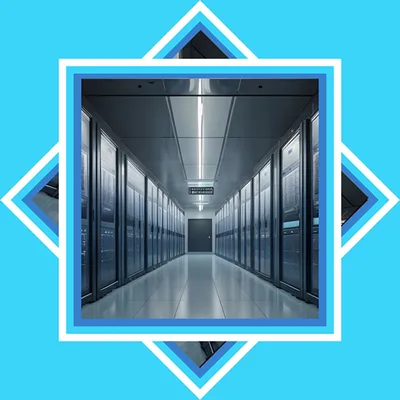
Cloud vs Internal hardware
Here's the straight answer—there's no one-size-fits-all. It depends on how you work, Your budget, and how critical your data is. See below how I'd break it down
"Pros and Cons Cloud Vs. Internal Hardware"
Cloud Solutions – Pros & Cons
Pros:
- Accessible from anywhere
- Smaller upfront hardware cost
- Automatic updates & maintenance
- Built-in redundancy (in most cases)
Cons:
- Ongoing monthly costs (adds up fast)
- Less control over your data
- Dependent on internet connection
- Security is shared responsibility (not fully "handled")
👉 Cloud is great for:
- Small teams
- Remote work environments
- Businesses that don't want to manage hardware
🖥️ On-Premises Hardware –
Pros & Cons
Pros:
- Full control of your data
- Faster local network speeds
- One-time investment (long-term savings)
- Custom-built for performance and reliability (your strength)
Cons:
- Higher upfront cost
- Requires maintenance
- Needs proper backup & disaster recovery planning
- Physical risks (power, fire, etc.)
👉 On-prem is great for:
- Businesses with heavy data use
- Companies needing speed and control
- Long-term cost-conscious clients
- Security-focused environments
Once we establish the cloud is the solution than we have to chose what type of cloud is best.
What is Microsoft 365
Microsoft 365 is a cloud-based productivity platform that brings together essential business tools such as email, document creation, file storage, and collaboration into one integrated system. It includes familiar applications like Word, Excel, Outlook, and Teams, allowing users to work from virtually anywhere on any device. With built-in security features, automatic updates, and real-time collaboration, Microsoft 365 helps businesses stay connected, organized, and productive without the need to maintain their own servers for these services. It's designed to simplify daily operations while providing the flexibility and reliability modern businesses need.
What is Micrsoft Azure
Microsoft Azure is a cloud computing platform that allows businesses to run applications, store data, and manage their IT infrastructure over the internet instead of relying solely on on-site hardware. It provides a wide range of services including virtual servers, data storage, networking, security, backups, and advanced tools like artificial intelligence and analytics. With Azure, companies can scale resources up or down as needed, improve reliability with built-in redundancy, and access their systems from virtually anywhere. It's designed to give businesses flexibility, power, and enterprise-level capabilities without the need to purchase and maintain physical servers.
What is Own Cloud
ownCloud is an open-source file sharing and synchronization platform that allows businesses to create their own private cloud environment on internal servers or hosted infrastructure. Instead of relying on third-party services, ownCloud gives you full control over your data, security, and access permissions while still providing features similar to popular cloud platforms—such as file storage, sharing, collaboration, and remote access from any device. It integrates with existing systems and can be customized to fit your specific needs, making it an ideal solution for organizations that want the convenience of cloud technology while keeping their data secure and under their direct control.